
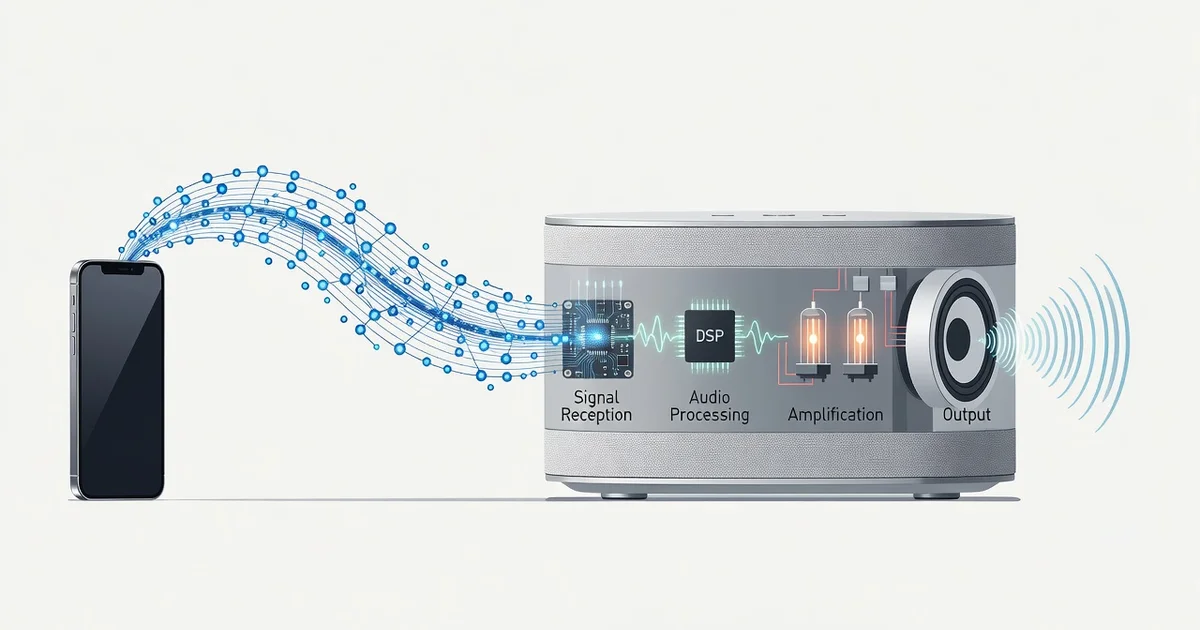
Wireless speakers have transformed how we listen to music, podcasts, and audio throughout our homes. But have you ever wondered what actually happens between pressing play on your phone and hearing sound from across the room? Understanding how wireless speakers receive and process audio signals reveals the clever technology that makes cable-free listening possible.
In this article, we break down the journey of an audio signal—from Bluetooth and Wi-Fi transmission to digital processing and final sound output. Whether you’re choosing your next speaker or simply curious about the tech, you’ll gain clear, practical insight into how wireless speakers receive and process audio signals.
Introduction
Wireless speakers have become a common fixture in homes, offices, and outdoor spaces. They let you play music from a phone, computer, or streaming service without running cables across the room. But what actually happens between pressing play on your device and hearing sound from the speaker? This article explores how wireless speakers receive and process audio signals with clear, practical guidance. Understanding the fundamentals helps you make informed decisions when buying, setting up, or troubleshooting a wireless speaker system.
Wireless audio is not magic. It relies on radio waves, digital compression, and a small computer inside the speaker that rebuilds the audio signal. Each step introduces trade-offs in sound quality, latency, and reliability. Knowing these steps lets you choose the right speaker for your needs and fix common problems faster.
Reliable information and consistent habits lead to better long-term outcomes. Whether you are a casual listener or a home theater enthusiast, the same basic principles apply. By the end of this guide, you will understand the signal path from source to sound and how to get the best performance from your equipment.
Key Concepts
Before diving into the details, it helps to define a few core ideas. Wireless speakers receive audio through one of several transmission methods. Each method affects range, sound quality, and how many speakers you can connect at once.
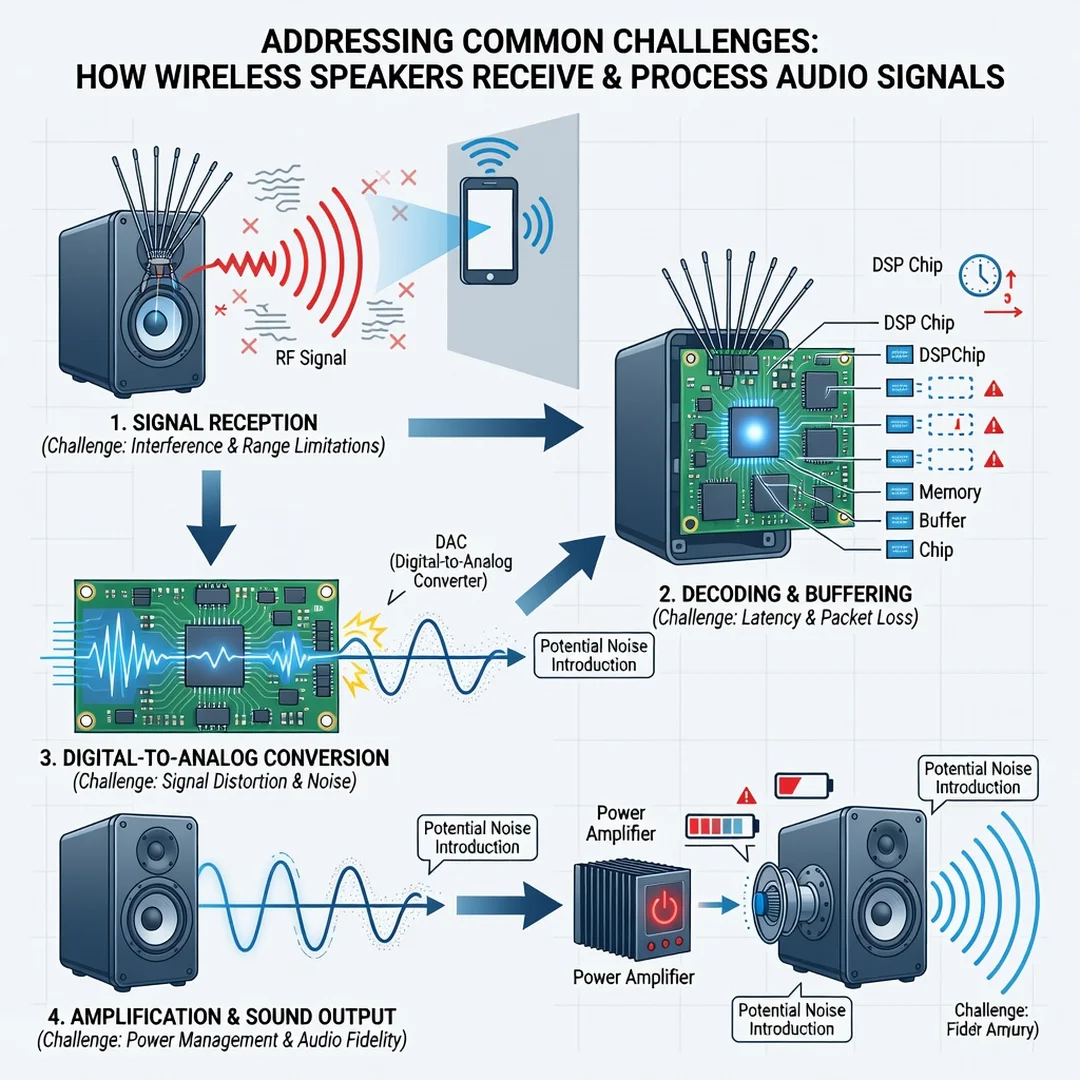
Wireless transmission methods
- Bluetooth: A short-range radio technology (typically 30 feet or less). It compresses audio before sending it, which can reduce fidelity. Bluetooth is easy to use and works with almost any phone or laptop.
- Wi-Fi: Uses your home network to stream audio. Wi-Fi supports higher data rates, so it can carry lossless or high-resolution audio. Range depends on your router, and setup is usually more involved than Bluetooth.
- Proprietary RF: Some speaker systems use their own radio frequency (RF) transmitters, often in the 2.4 GHz or 5 GHz bands. These are common in home theater setups for surround speakers.
- AirPlay, Chromecast, and similar protocols: These are software layers that run over Wi-Fi. They let you cast audio from apps and control multiple speakers at once.
Digital vs. analog signals
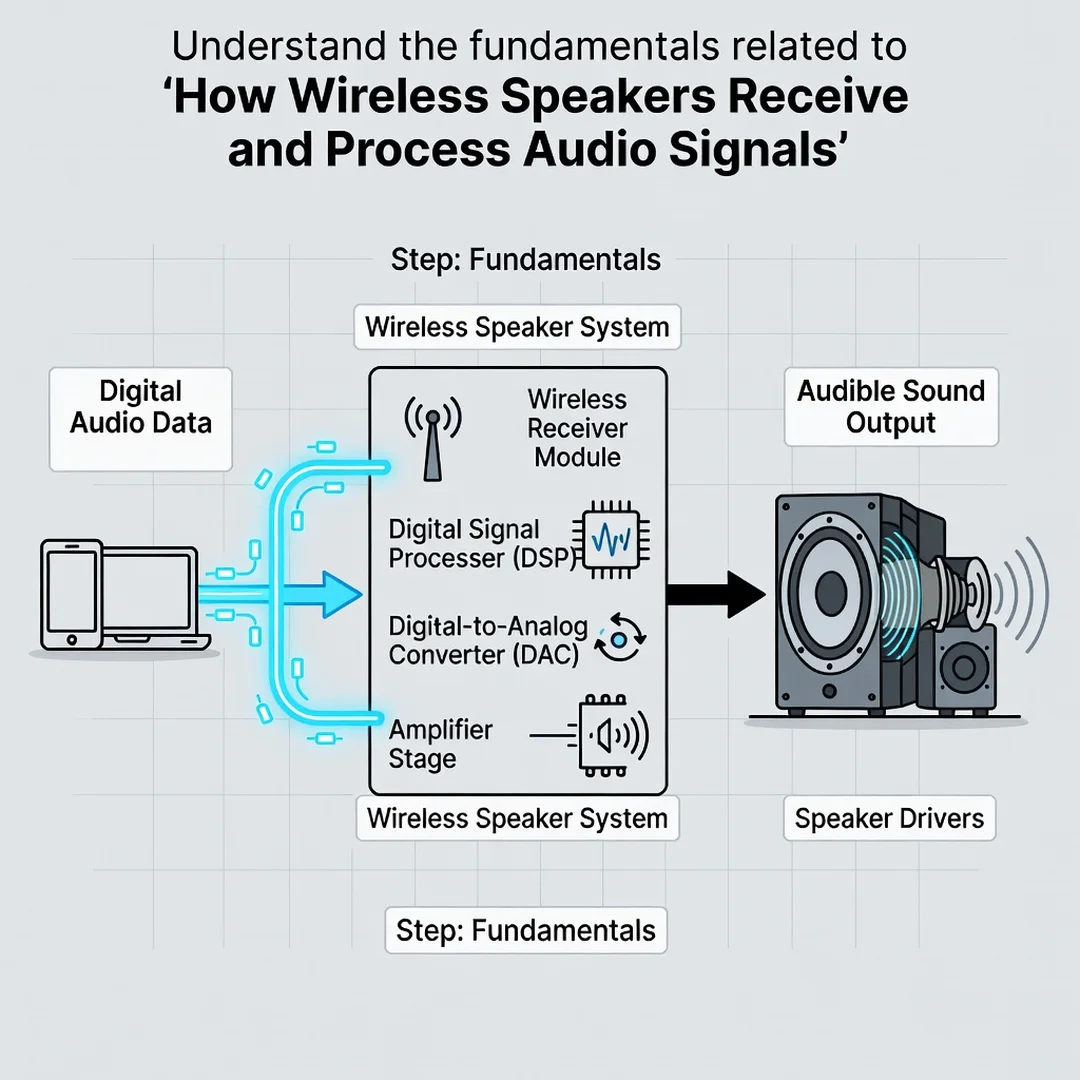
Most wireless audio starts as a digital file or stream. The source device converts that digital data into a radio signal. The speaker receives the radio signal, converts it back to digital data, then uses a digital-to-analog converter (DAC) to create an analog electrical signal. That analog signal drives the speaker drivers to produce sound.
Codecs and compression
A codec is software that compresses and decompresses audio. Bluetooth commonly uses codecs like SBC, AAC, or aptX. Wi-Fi streaming often uses lossless codecs such as FLAC or ALAC. The codec determines how much data is discarded during transmission. More compression means smaller files and lower bandwidth but potentially lower sound quality.
Latency
Latency is the delay between the source sending audio and the speaker playing it. Bluetooth typically has 100–300 milliseconds of latency, which can cause lip-sync issues when watching video. Wi-Fi and proprietary RF systems often have lower latency, sometimes under 50 milliseconds. Some speakers and apps include latency compensation to fix this.
Deep Dive
Now let us trace the full signal path inside a wireless speaker. This section breaks down each stage from the source device to the acoustic output.
Stage 1: Source preparation
Your phone, tablet, or computer reads the audio file or stream. If the audio is compressed (like an MP3 or a streaming service), the device decodes it into raw digital audio samples. The device then applies any volume, EQ, or spatial audio processing you have enabled. Finally, it packages the audio into a format suitable for wireless transmission.
Stage 2: Wireless transmission
The source device modulates the digital audio onto a radio carrier wave. For Bluetooth, this happens in the 2.4 GHz ISM band using frequency hopping to avoid interference. For Wi-Fi, the audio is sent as data packets over your network, often using TCP or UDP protocols. The speaker’s antenna receives these radio waves and converts them back into digital data.
Stage 3: Error correction and buffering
Wireless transmission is not perfect. Interference, distance, and obstacles can cause packet loss. The speaker uses error correction and buffering to handle this. A buffer is a small memory store that holds incoming audio data. If a packet is lost, the speaker can either request a retransmission (on Wi-Fi) or use error concealment (on Bluetooth) to fill the gap. A larger buffer improves reliability but increases latency.
Stage 4: Digital signal processing (DSP)
Once the audio data is reassembled, the speaker’s digital signal processor (DSP) takes over. The DSP performs several tasks:
- Decoding: Converts the compressed audio back to uncompressed digital samples.
- Equalization: Adjusts frequency response to match the speaker’s drivers and cabinet. This is often fixed at the factory but can be user-adjustable.
- Bass management: Routes low frequencies to a subwoofer or boosts them for small drivers.
- Dynamic range control: Prevents clipping and protects drivers from damage at high volumes.
- Room correction: Some advanced speakers use a microphone to measure room acoustics and adjust the output accordingly.
Stage 5: Digital-to-analog conversion
The DSP outputs a digital signal, but speaker drivers need an analog electrical signal. A DAC chip converts the digital samples into a continuously varying voltage. The quality of the DAC affects the final sound. Cheap DACs introduce noise and distortion; better DACs preserve detail and dynamic range.
Stage 6: Amplification and output
The analog signal from the DAC is too weak to drive speakers directly. An amplifier boosts the signal’s voltage and current. Most wireless speakers use Class D amplifiers because they are efficient and compact. The amplified signal then travels to the speaker drivers—typically a tweeter for high frequencies, a woofer for mid and low frequencies, and sometimes a passive radiator for bass reinforcement. The drivers convert electrical energy into sound waves.
Stage 7: Acoustic output
Finally, the speaker drivers move air, creating sound waves that reach your ears. The cabinet design, driver quality, and room acoustics all influence what you hear. A well-designed speaker minimizes distortion and resonance, while a poor room layout can cancel or boost certain frequencies.
Best Practices
To get the most from a wireless speaker, follow these practical guidelines. They apply whether you use Bluetooth, Wi-Fi, or a proprietary system.
Choose the right transmission method for your use case
- Use Bluetooth for casual listening, portability, and when you do not need perfect sync with video.
- Use Wi-Fi for high-resolution audio, multi-room setups, and when you want to control playback from multiple devices.
- Use proprietary RF for home theater surround sound, where low latency is critical.
Optimize placement and environment
- Keep the speaker away from walls and corners to reduce boomy bass.
- Place the speaker at ear level when seated for the most accurate soundstage.
- Avoid placing the source device too far from the speaker, especially with Bluetooth.
- Reduce interference by keeping the speaker away from microwaves, cordless phones, and other 2.4 GHz devices.
Manage software and firmware
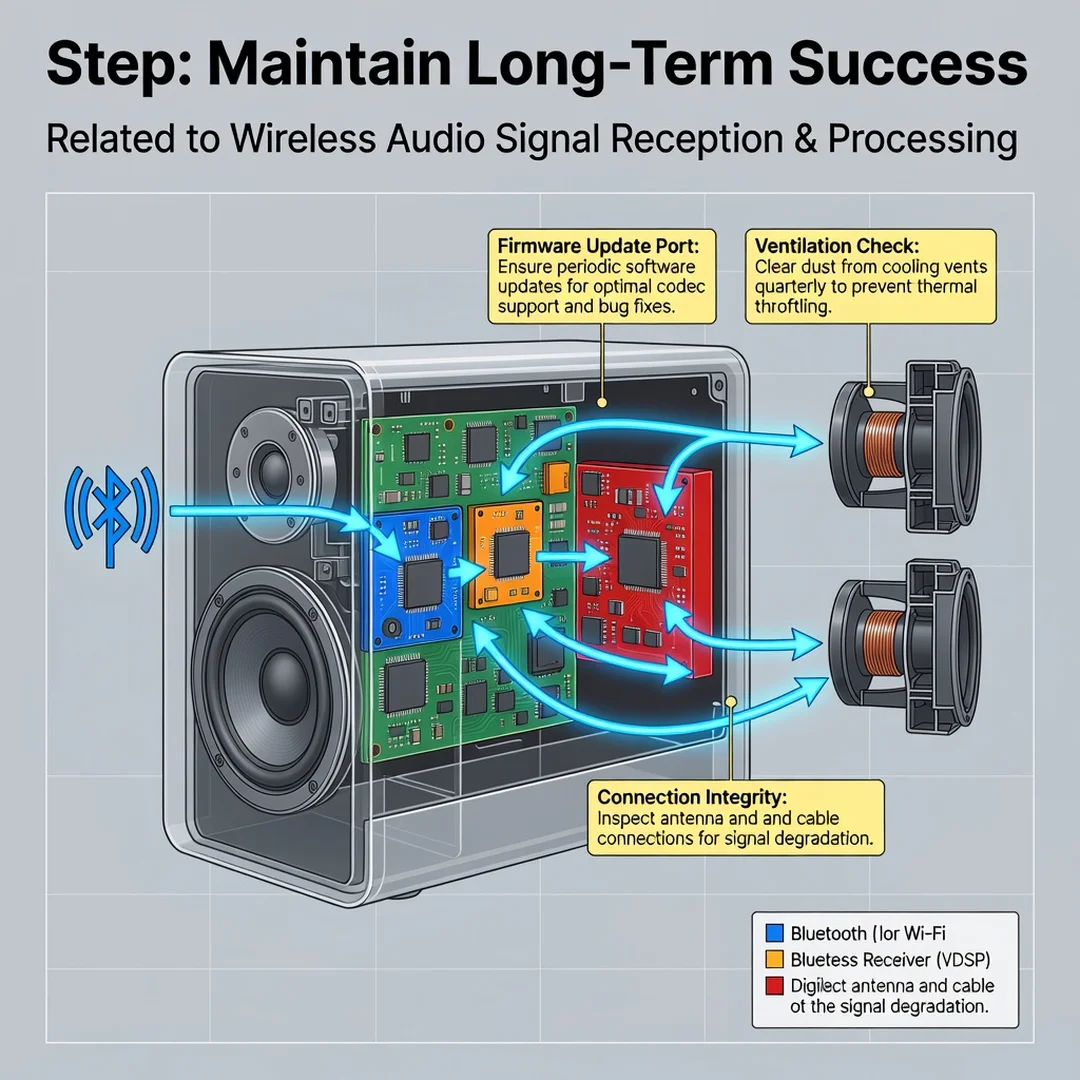
- Update the speaker’s firmware regularly. Manufacturers often fix bugs and improve codec support.
- Use the highest-quality codec your devices support. For Bluetooth, aptX or LDAC can sound noticeably better than SBC.
- Turn off unnecessary audio processing on your source device, such as virtual surround or heavy EQ, unless you prefer the effect.
Test and adjust
- Play a variety of music genres to hear how the speaker handles different frequencies.
- Use a calibration microphone or app if the speaker supports room correction.
- Adjust the speaker’s EQ settings to taste, but avoid extreme boosts that cause distortion.
Maintain consistent habits
- Charge portable speakers fully before long listening sessions.
- Keep the speaker clean and free of dust, especially around drivers and ports.
- Store the speaker in a dry, moderate-temperature environment when not in use.
Step-by-Step Guide
Follow these steps to understand and optimize your wireless speaker setup.
Step 1: Understand the fundamentals
Learn the difference between Bluetooth, Wi-Fi, and RF transmission. Know that Bluetooth compresses audio and has higher latency, while Wi-Fi supports higher quality and lower latency. Understand that the speaker’s internal DAC, amplifier, and drivers all affect sound. This knowledge helps you interpret specs and reviews.
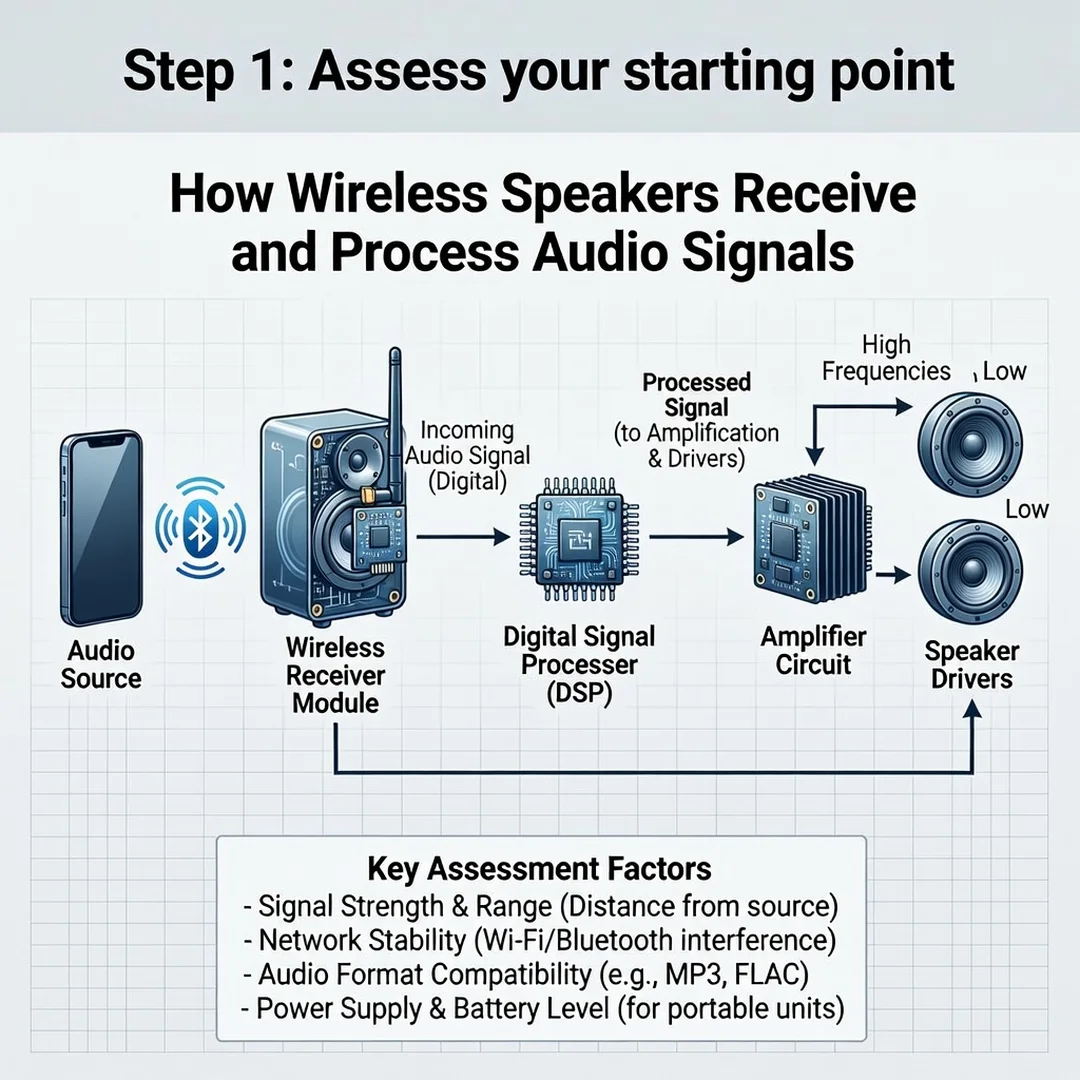
Step 2: Assess your starting point
Identify what you currently own. Check your speaker’s manual or manufacturer website for supported codecs, transmission methods, and firmware version. Note your source devices—phone, computer, tablet—and their audio capabilities. Also consider your room size, layout, and typical listening distance. This baseline tells you what you can improve.
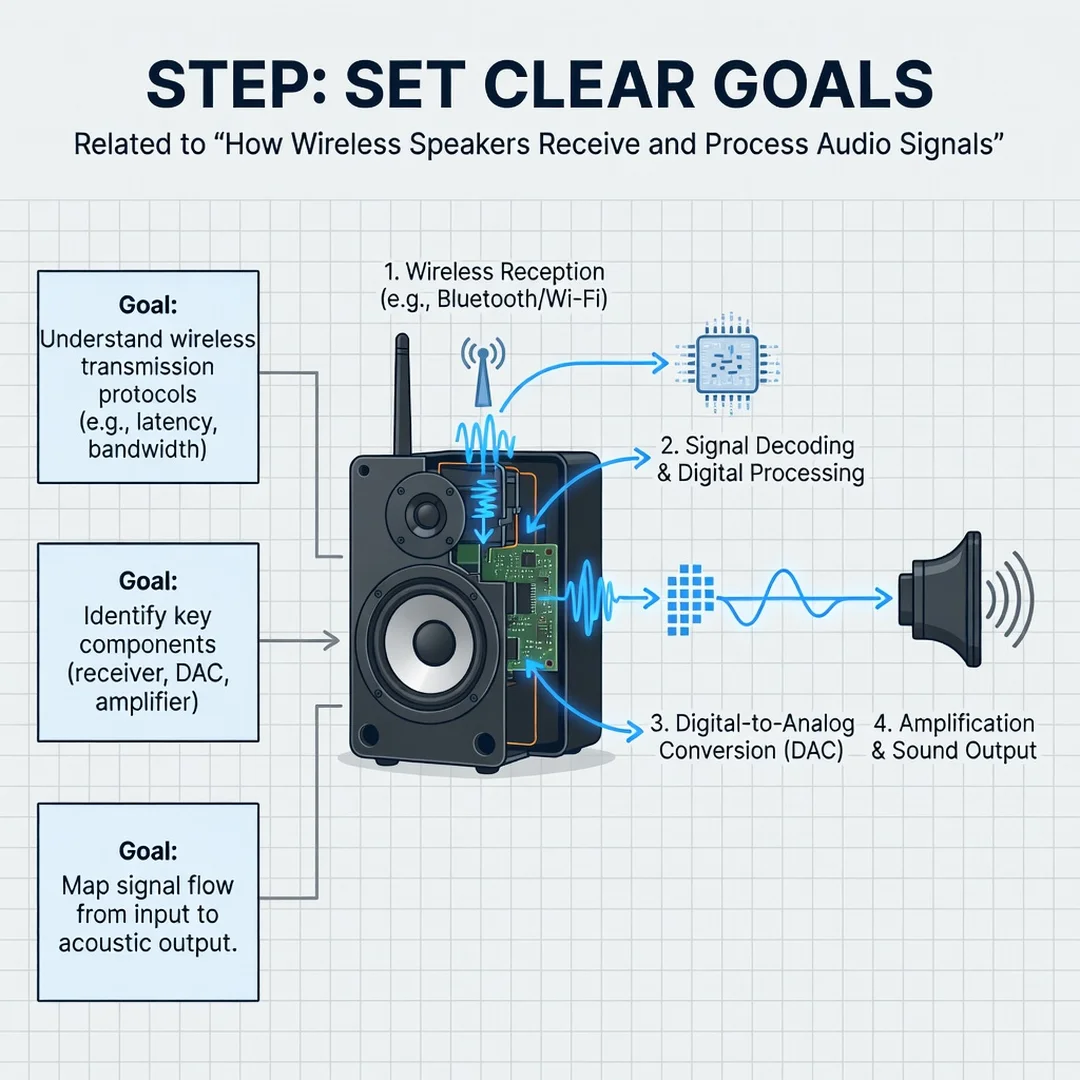
Step 3: Set clear goals
Decide what matters most: sound quality, low latency for video, multi-room flexibility, or portability. For example, if you watch movies, prioritize a speaker with low-latency Wi-Fi or RF. If you listen to lossless music, look for Wi-Fi with support for FLAC or ALAC. Write down your goals so you can measure progress.
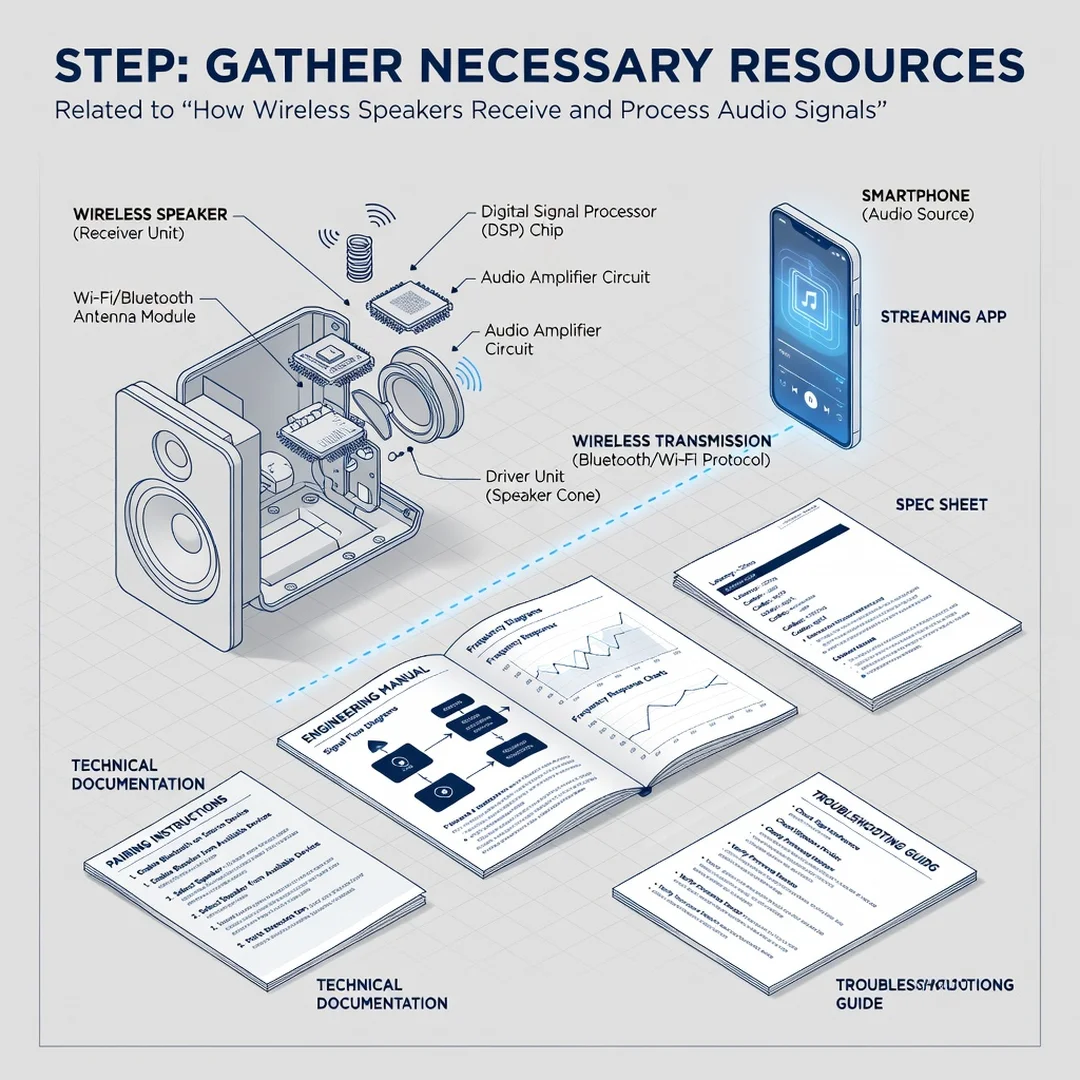
Step 4: Gather necessary resources
Collect the tools you need. This may include a smartphone with a streaming app, a Wi-Fi network with strong signal, a calibration microphone, and the speaker’s user manual. If you plan to compare codecs, use high-quality reference tracks. For troubleshooting, have the speaker’s firmware update tool ready.
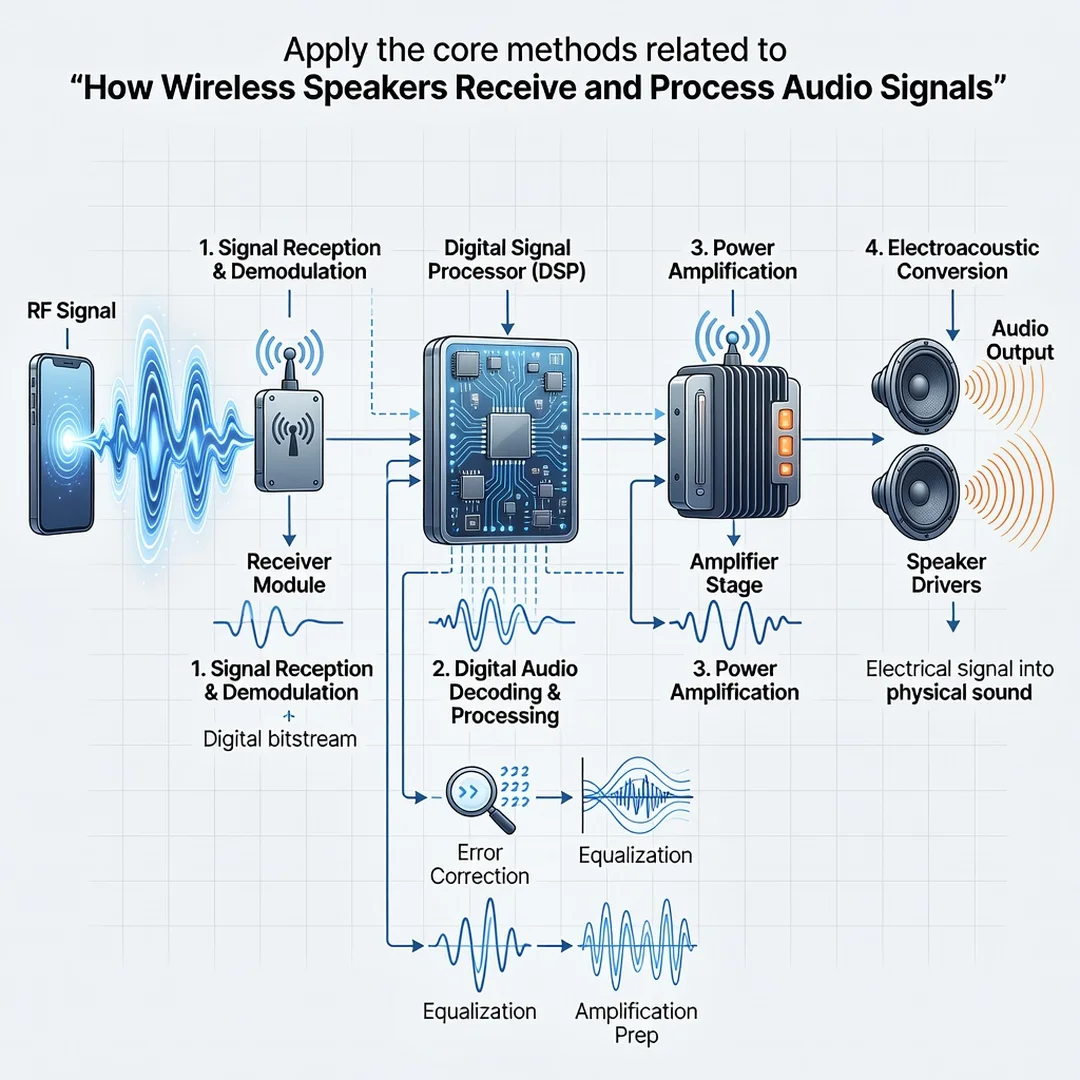
Step 5: Apply the core methods
Set up the speaker according to the manufacturer’s instructions. Connect it to your preferred network or pair it via Bluetooth. Update firmware. Place the speaker in an optimal location. Adjust EQ and room correction settings. Test with different audio sources and genres. If you experience dropouts, move the speaker closer to the router or reduce interference.
Step 6: Monitor your progress
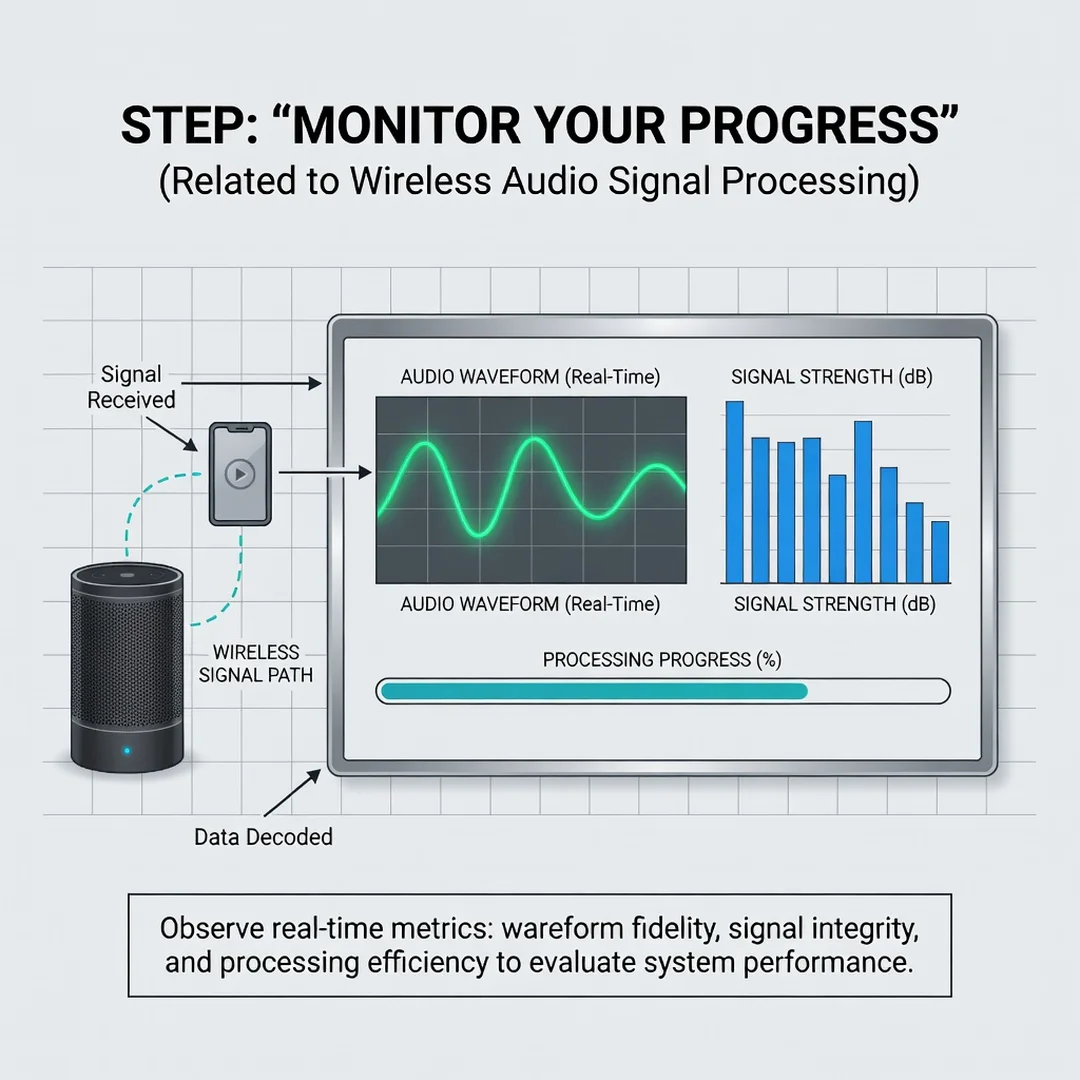
After a week of use, evaluate whether you are meeting your goals. Are dropouts rare? Is latency acceptable? Does the sound meet your expectations? Take notes on what works and what does not. Adjust settings or consider upgrading if a key goal remains unmet. Consistent monitoring helps you catch issues early and refine your setup over time.
FAQ
What should I know about How Wireless Speakers Receive and Process Audio Signals?
You now have a solid foundation for How Wireless Speakers Receive and Process Audio Signals. Apply the best practices above and revisit this guide as your needs evolve.