
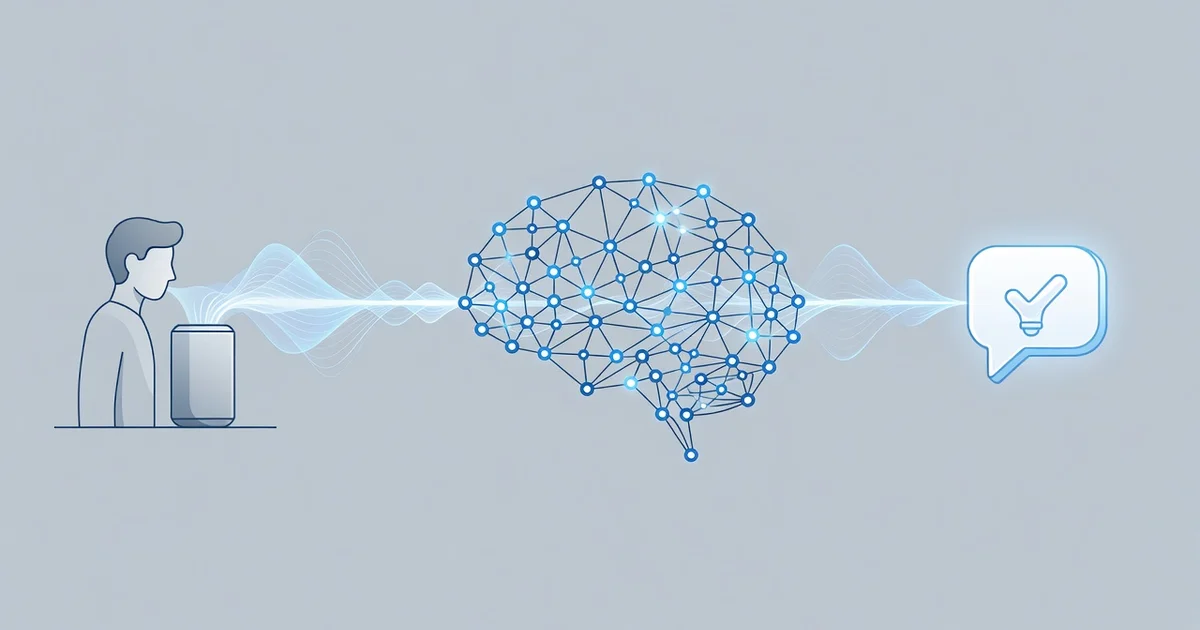
AI-powered voice assistants have become part of everyday life, from asking your phone for the weather to controlling smart devices at home. But how do these systems actually turn your spoken words into accurate actions? Understanding the technology behind them helps you use voice commands more effectively and set realistic expectations.
In this article, we break down how AI-powered voice assistants understand human commands, step by step. You’ll learn about speech recognition, natural language processing, and intent detection — plus practical tips to make your voice interactions faster, clearer, and more reliable.
Introduction
When you say “Hey Google, set a timer for ten minutes” or “Alexa, play my morning playlist,” you are participating in one of the most remarkable feats of modern computing: a machine converting a puff of air into a meaningful action. AI-powered voice assistants have moved from novelty to daily utility, yet most people have only a vague sense of how they actually work. This article explores How AI-Powered Voice Assistants Understand Human Commands with clear, practical guidance, so you can use these tools with confidence and understand both their strengths and their limits.
The journey from spoken words to executed commands involves several distinct technologies working in sequence: audio capture, speech recognition, natural language understanding, intent mapping, and response generation. Each stage has its own challenges, from background noise to regional accents to the ambiguity of human language itself. By the end, you will know not just what happens when you speak, but why assistants sometimes fail and how to phrase commands that work reliably.
Understanding the fundamentals of How AI-Powered Voice Assistants Understand Human Commands helps you make informed decisions about which devices to buy, how to configure them for privacy, and when to trust them with sensitive tasks. It also changes how you interact: a small shift in phrasing can dramatically improve accuracy. Reliable information and consistent habits lead to better long-term outcomes, whether you are automating a smart home, dictating emails, or simply asking for the weather.
Key Concepts
Before diving into the mechanics, it helps to define the core building blocks. These concepts appear throughout the rest of this guide, and understanding them will make the technical details far easier to follow.
Automatic Speech Recognition (ASR)
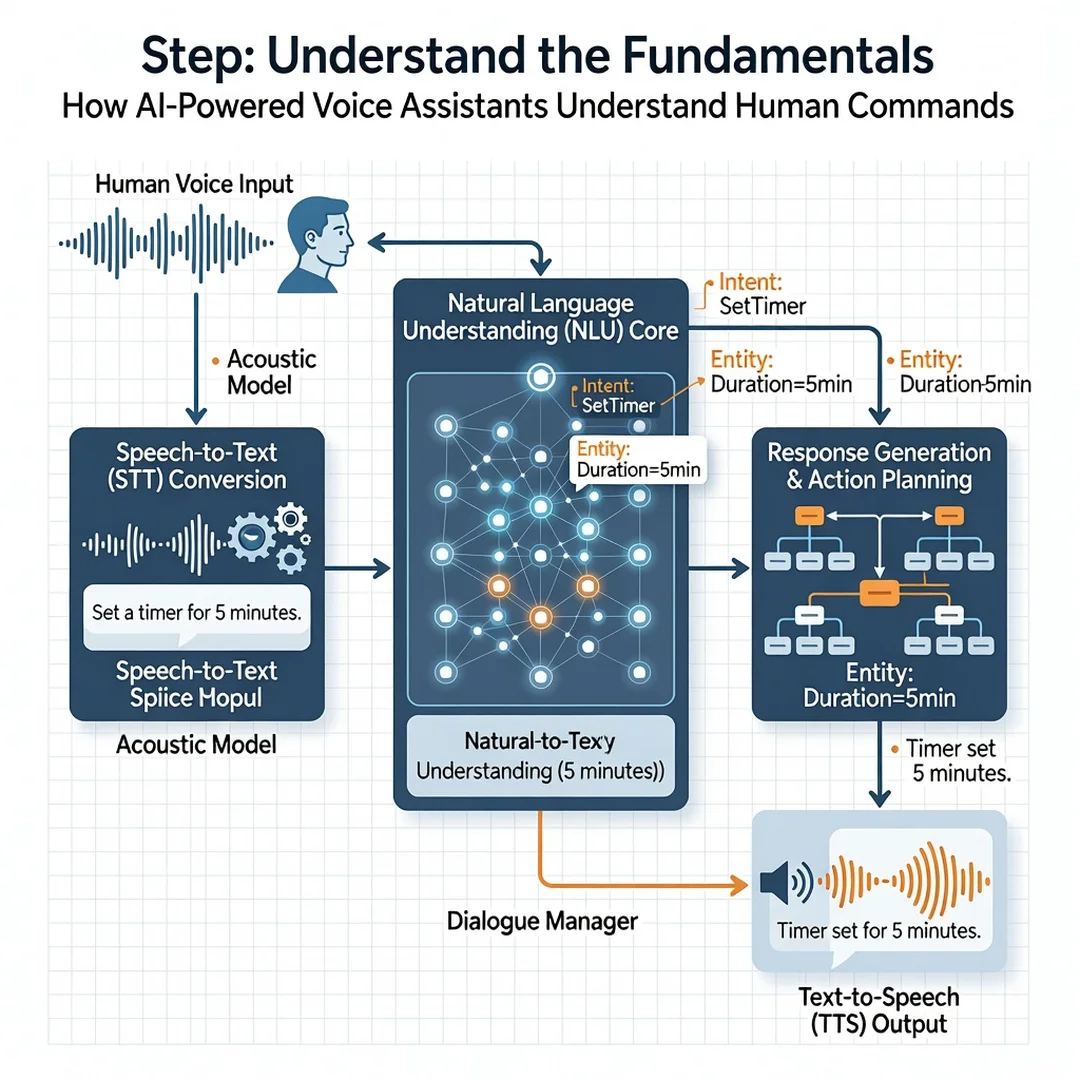
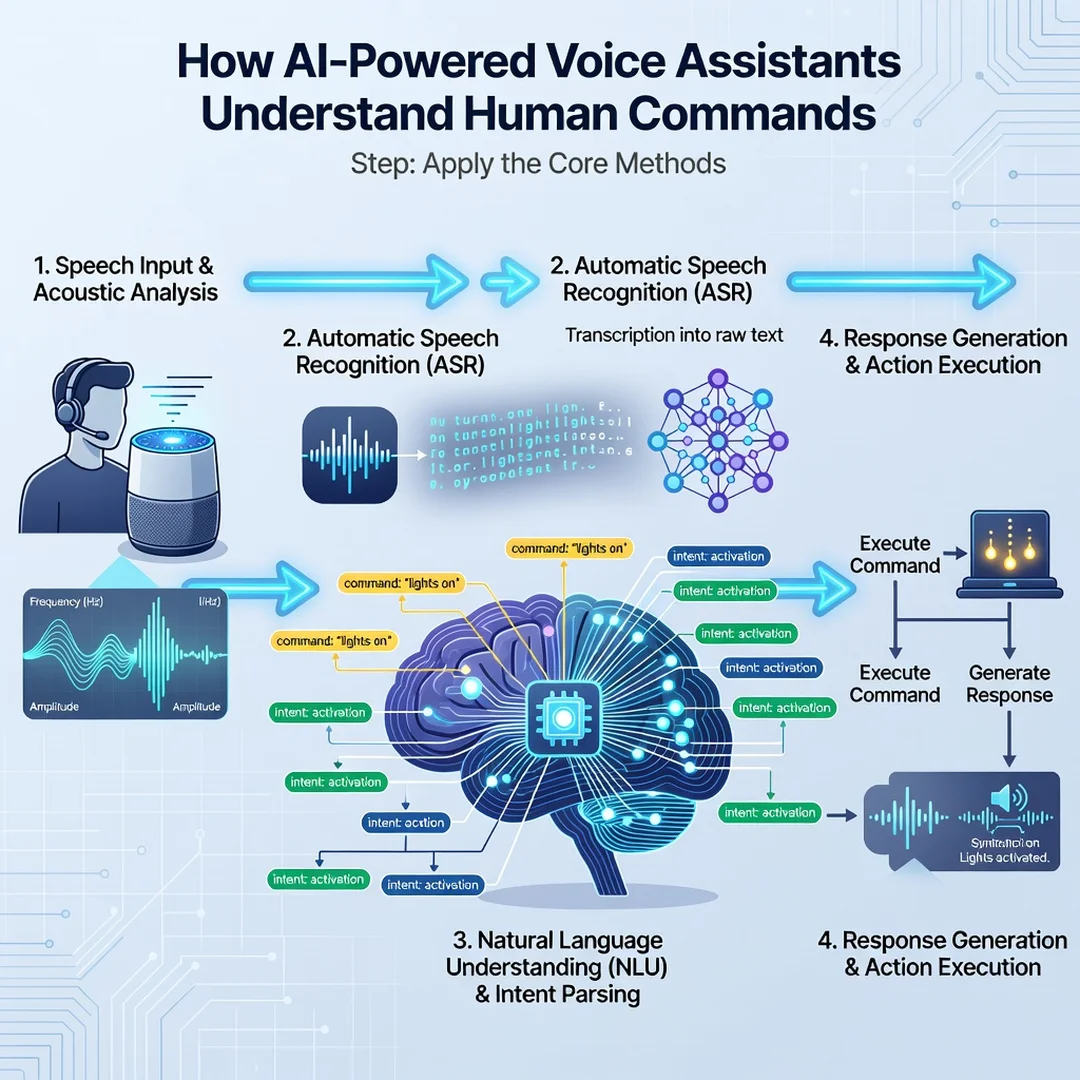
ASR is the process of converting an audio waveform into text. Modern assistants use deep neural networks trained on thousands of hours of speech. They do not simply match sounds to words; they use context to predict likely word sequences. For example, “recognize speech” and “wreck a nice beach” sound similar, but a language model helps the system choose the more probable phrase. ASR accuracy has improved dramatically, but it still struggles with heavy accents, overlapping speakers, and unusual proper nouns.

Natural Language Understanding (NLU)
Once text exists, NLU extracts meaning. It identifies the user’s intent (what they want) and slots (the specific details). In “Book a table for four at seven,” the intent is “book restaurant” and the slots are “party size: four” and “time: seven.” NLU models are trained on labeled examples and increasingly use transformer architectures similar to those behind large language models. This is why assistants can handle phrasing they have never seen before, up to a point.
Intent and Slot Filling
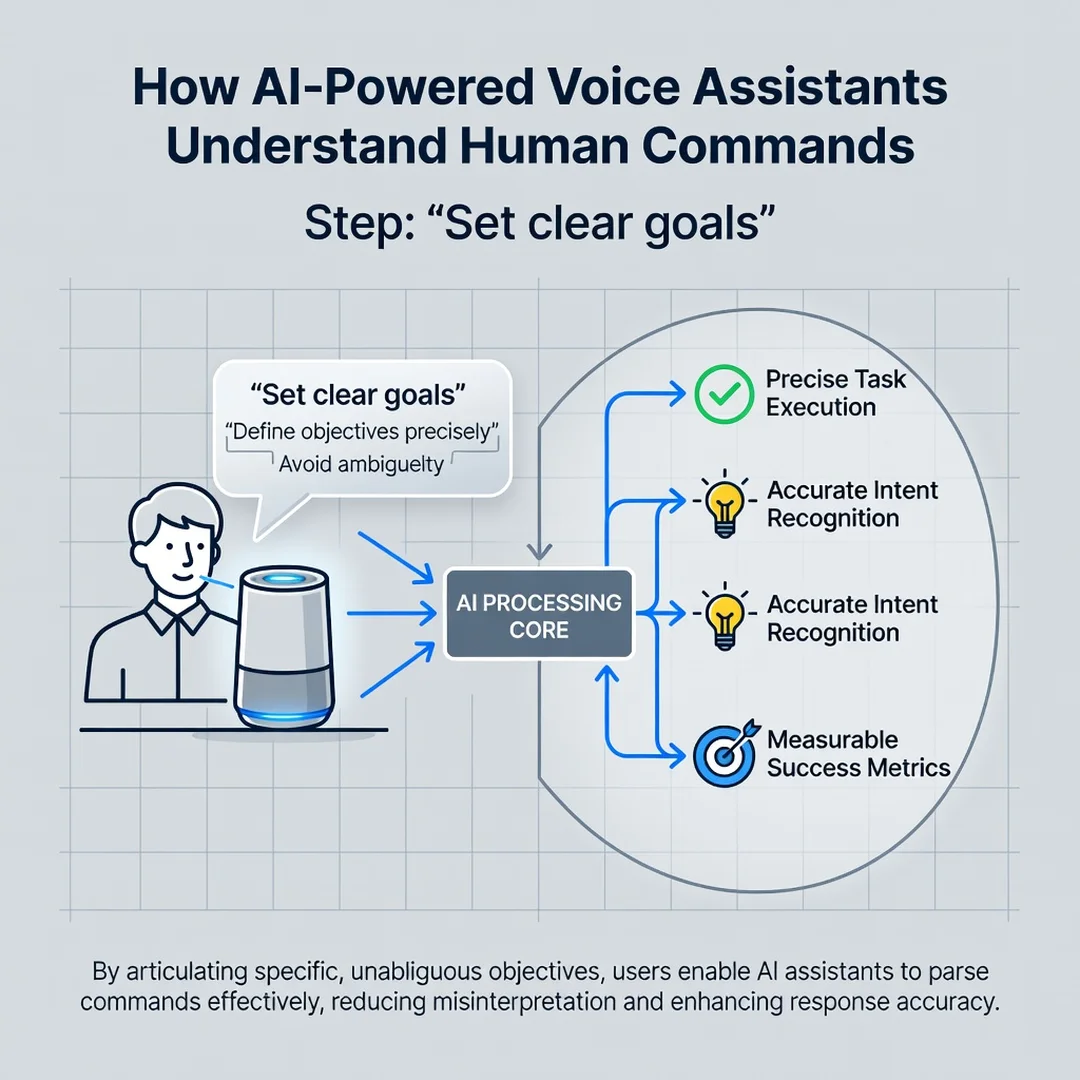
Intent classification assigns the utterance to a known action, while slot filling extracts parameters. If either step fails, the assistant may ask a clarifying question or default to a web search. Many errors users blame on “bad voice recognition” are actually intent-mapping failures: the words were transcribed correctly, but the system did not know which action to take.
Text-to-Speech (TTS) and Response Generation
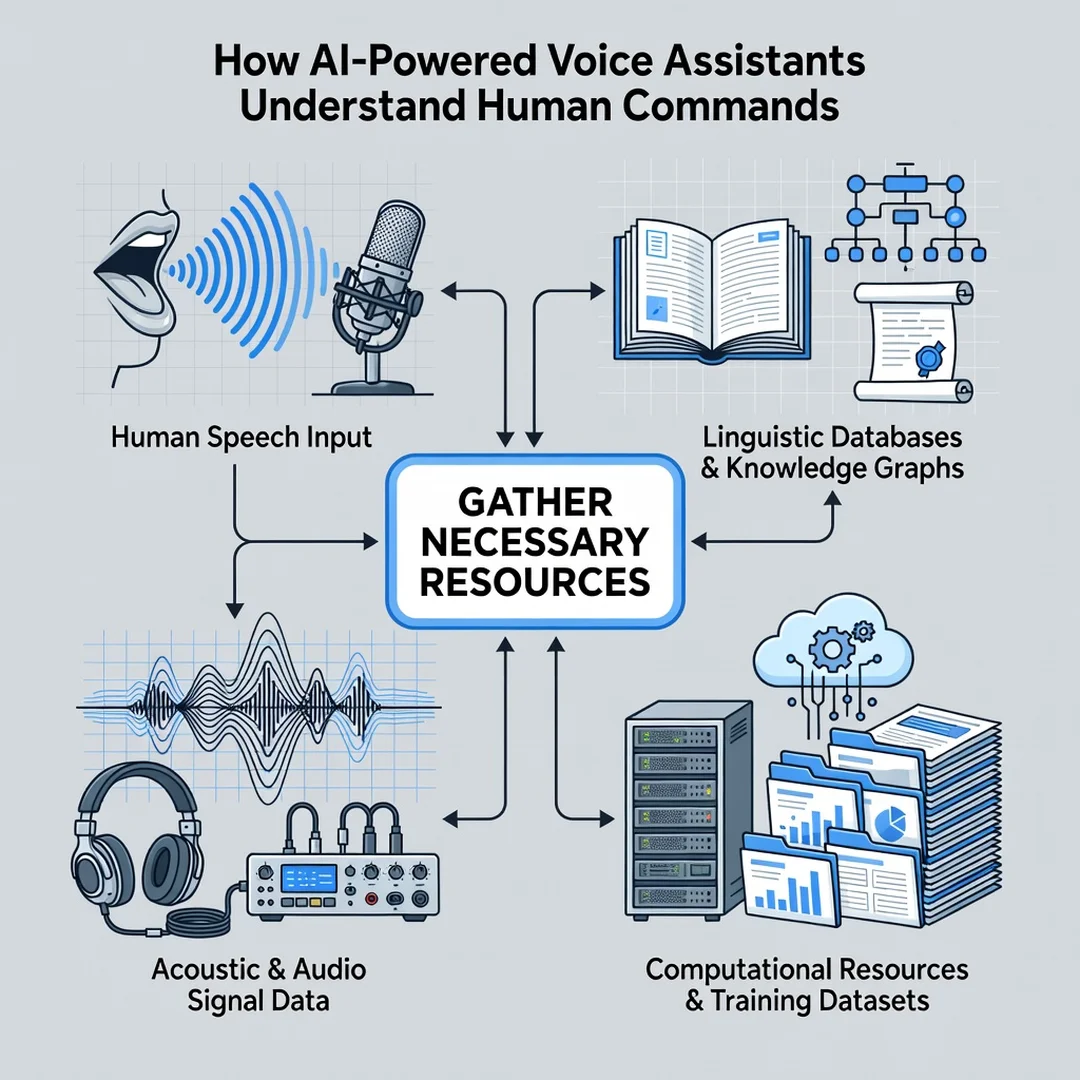
The final stage converts the assistant’s answer back into audio. TTS systems use neural vocoders to produce natural-sounding voices. Response generation decides what to say, often pulling from structured data (weather APIs, calendars) or, increasingly, from a generative language model that composes a fresh sentence.
Wake Words and Always-On Listening
Most assistants use a small, low-power chip that listens only for a wake word like “Alexa” or “Hey Siri.” When detected, the device streams audio to the cloud for full processing. Some processing now happens on-device for speed and privacy. Understanding this pipeline explains why assistants sometimes activate by accident and why they sometimes miss your first attempt.
Deep Dive
Now let’s trace a single command from start to finish, then examine where things commonly go wrong.
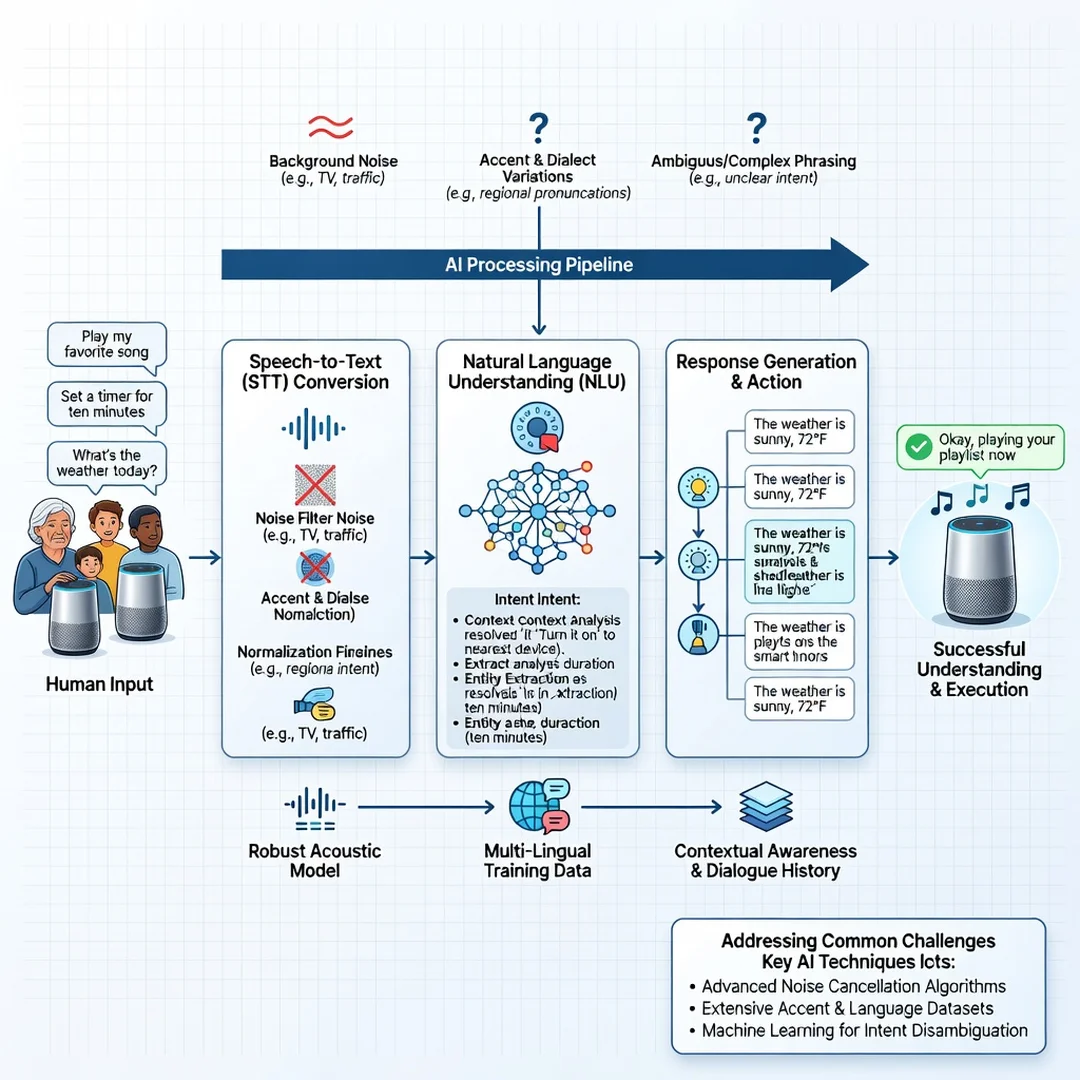
Imagine you say: “Turn on the kitchen lights.” The microphone array captures the audio and uses beamforming to focus on your voice while suppressing noise from a nearby TV. The wake-word detector triggers, and the device sends a compressed audio clip to the cloud. The ASR engine transcribes it to text: “turn on the kitchen lights.” The NLU module classifies the intent as “device control” with slots “action: on,” “location: kitchen,” and “device: lights.” A dialog manager checks whether the user has permission to control that device and whether the device is online. If all checks pass, a command is sent to the smart home hub, and the lights turn on. Finally, the TTS engine generates a confirmation: “Okay, turning on the kitchen lights.”
Every one of those steps can fail. Background noise can corrupt the audio. A strong accent can confuse ASR. An unusual phrasing like “illuminate the cooking area” might not match the intent model. A disconnected bulb can break execution. Knowing the pipeline helps you debug: if the assistant repeats your words correctly but does nothing, the problem is probably intent or device connectivity, not recognition.
Another subtlety is context. Modern assistants maintain short-term memory. If you say “Turn on the kitchen lights” and then “Make them dimmer,” the assistant resolves “them” to the kitchen lights. This anaphora resolution uses dialog state tracking. It works well in short exchanges but degrades over long, complex conversations.
Multimodal models are the next frontier. Instead of a rigid pipeline, some assistants now use a single large model that ingests audio and text together, producing more flexible understanding. This reduces the “brittleness” of hardcoded intents but can introduce hallucination, where the assistant confidently does the wrong thing. For critical tasks like unlocking doors or sending money, most systems still use rule-based confirmation layers.
Privacy is an unavoidable part of this deep dive. Audio snippets are often stored to improve models. You can review and delete them in most assistant settings. On-device processing for wake words and some commands means less data leaves your home, but full cloud processing is still the norm for complex requests. The trade-off is speed and accuracy versus data exposure.
Best Practices
You do not need to be an engineer to get better results. These practices come from how the systems are built and tested.
- Speak naturally but clearly. You do not need to shout or pause unnaturally. Assistants are trained on conversational speech. However, separating commands with a brief pause can help with long requests.
- Use the assistant’s preferred phrasing when you know it. “Set a timer for five minutes” works better than “I need a countdown that ends in five minutes.” Both may work, but the first matches common training data.
- Give one command at a time for critical tasks. Compound commands like “Turn off the lights and lock the doors and set the alarm” increase the chance of partial failure. Break them into separate utterances.
- Name devices consistently. If your smart plug is called “Lamp” in one app and “Bedroom Light” in another, voice control becomes unreliable. Standardize names across services.
- Review privacy settings quarterly. Delete stored recordings, disable voice purchasing if you do not use it, and check which third-party skills have access to your account.
- Update firmware. ASR and NLU models improve with updates. An old device may miss features and accuracy gains available on newer software versions.
- Test in your actual environment. An assistant that works perfectly in a quiet room may fail in a noisy kitchen. Run a few trial commands where you actually use the device.
FAQ
What should I know about How AI-Powered Voice Assistants Understand Human Commands?
You should know that the process has five main stages: audio capture, speech-to-text, natural language understanding, intent execution, and spoken response. Most failures happen at the understanding or execution stage, not at the listening stage. You should also know that accuracy depends on your accent, background noise, phrasing, and the assistant’s training data. No assistant is perfect, but you can improve results significantly with clear phrasing, consistent device names, and regular software updates. Finally, know that privacy settings matter: you can usually review and delete voice recordings, and some processing happens on-device.
Who is this guide for?
This guide is for anyone who uses a voice assistant regularly or is considering one. That includes smart home users, people who dictate text, professionals who rely on voice for accessibility, and curious readers who want to understand the technology behind everyday commands. No technical background is required. If you have ever been frustrated when your assistant misunderstood you, this guide gives you practical ways to diagnose and fix the problem.
Conclusion
AI-powered voice assistants are not magic; they are layered systems of signal processing, machine learning, and software engineering. Each layer has strengths and weaknesses. When you understand the pipeline, you stop blaming yourself for “bad pronunciation” and start adjusting the factors you can control: phrasing, environment, device names, and settings. Reliable information and consistent habits lead to better long-term outcomes, and that principle applies here as much as anywhere.
Start with one small change today. Pick your most common voice command and test a clearer phrasing. Check your privacy settings. Rename one confusing device. These small actions compound. Over weeks, your assistant will feel less like a finicky gadget and more like a useful tool that understands what you mean, not just what you said.
Frequently Asked Questions
What should I know about How AI-Powered Voice Assistants Understand Human Commands?
This guide covers the essentials of How AI-Powered Voice Assistants Understand Human Commands with practical steps you can apply right away.
Who is this guide for?
Anyone looking for a clear, structured overview without unnecessary complexity.
You now have a solid foundation for How AI-Powered Voice Assistants Understand Human Commands. Apply the best practices above and revisit this guide as your needs evolve.